A Site Template can be used to create sites with equipment - passive and active.
For instance, a manhole containing a splicebox of a certain type, or a site containing one or more ODFs
and active equipment.
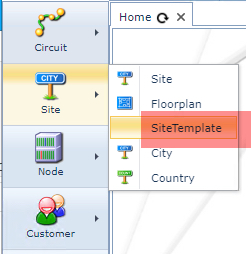
To access the Site Template object
▪From the IMS Main Menu click on the Site option
▪From the drop down list select Site Template
For more detailed information on Site Templates please refer to the section called: