Accessing the User Feature
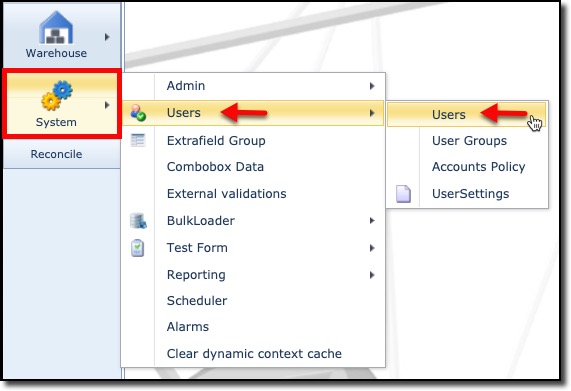
From the IMS Main menu bar:
▪ |
Click on the System icon |
▪ |
In the following dropdown lists select Users and then Users in succession |
The UserForm Actions tab with an empty User tab form is displayed.
|
<< Click to Display Table of Contents >> Navigation: IMS version 22.6 & 22.9 > IMS Admin - User Guide 22.6 & 22.9 > User Access Control > Users |
Accessing the User Feature
From the IMS Main menu bar:
▪ |
Click on the System icon |
▪ |
In the following dropdown lists select Users and then Users in succession |
The UserForm Actions tab with an empty User tab form is displayed.