There are two Calendar based tabs: the My Planned Tasks Agenda and My Working Hours.
My Planned Tasks Agenda
This tab contains all the current User's work orders and/or individual tasks that have been assigned to them by a Planner. A Planner is someone who assigns work to other individuals and this planning activity is carried out from the Planning module (not in scope for this topic).
This tab enables a User to view all work that has been assigned to them, by the Planner, over a Daily, Weekly, or longer time-frame.
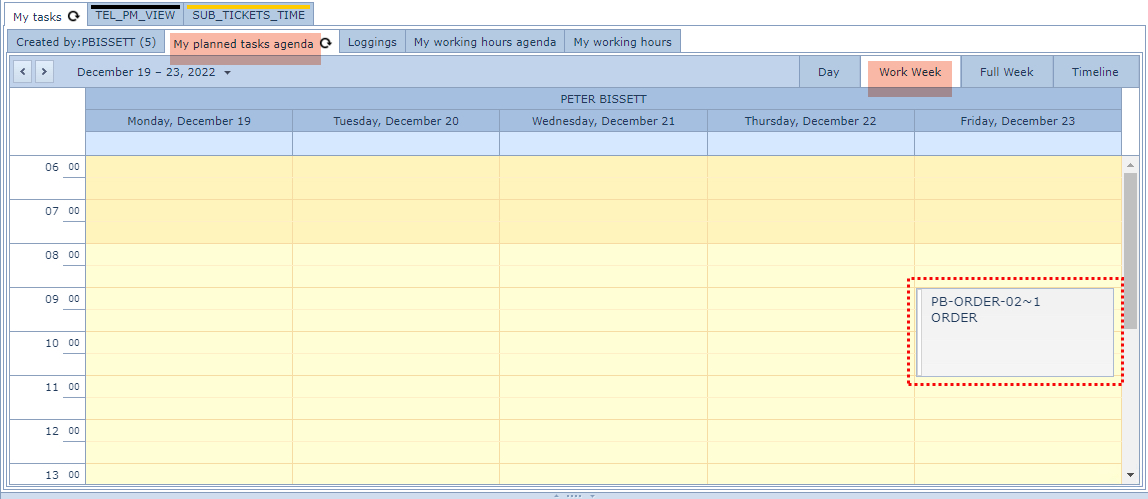
The following screen shot shows a User's work schedule for a given week, containing a single task from an Order/TT: The single tasks in an Order/TT are noted with a ~ (tilde) followed by a number.
My Working Hours Agenda
This tab contains all the current User's work orders and/or individual work order tasks that they themselves have dragged and dropped into the calendar. Individual Order/TTs and/or Tasks can be dragged onto this calendar.
Adding Tasks to the Calendar
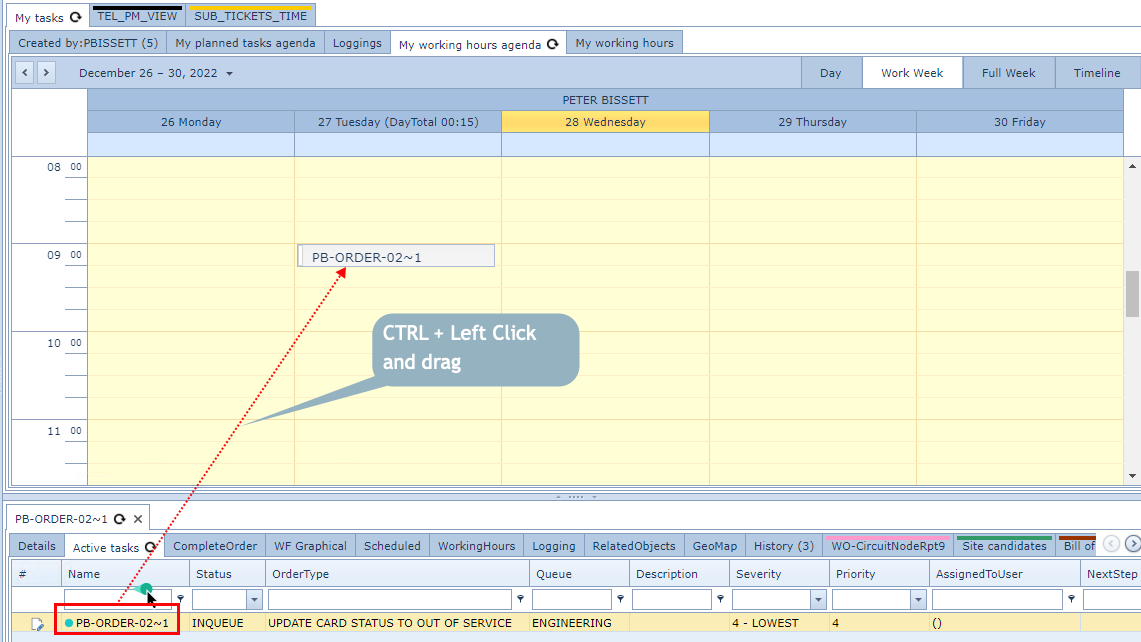
▪From the Order/TT and Task Details Area (lower quadrant of the IMS UI)
▪select the Control Key (CTRL) and Left Mouse Click on the required Order/TT or Task
▪then drag the mouse onto the required calendar date and time-slot
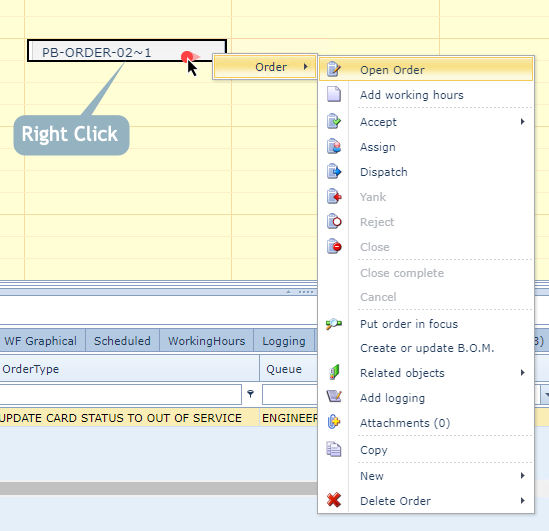
Once on the Calendar, the Order/TT or Task item can be opened by right clicking on it to reveal all the related actions that can be performed against this item.
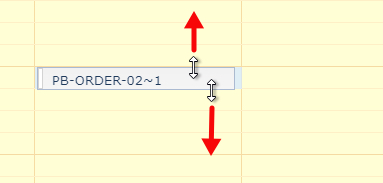
The Calendar item's start or end time (duration) can be modified by dragging the Calendar item's upper or lower horizontal line to the desired time frame