When a new SPLICEBOX or NOSPLICE box is needed at a site, then on the Network Map:
First enable the No action on click check box in the Search area of the Network Map |
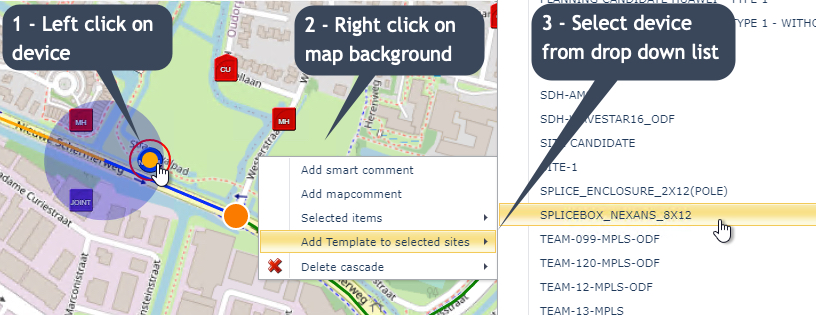
▪Locate the required Site and left click on a node, DDF/ODF, or Splicebox - a red indicator circle will appear
▪Right click on the map's background - not the device
▪From the drop down list provided, first select Add Template to selected sites followed by the required Splicebox template instance
You should now see a new icon representing the new Splicebox at that site.