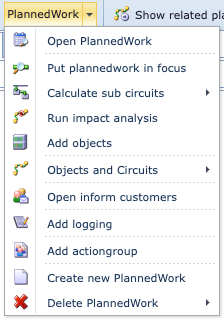
The following is a brief description of all the features available in the Inform Customers module button bar

Open email setup |
This opens up the Email Setup feature in a new feature tab |
|
Inform all customers |
This triggers the action to go ahead and send out Emails to all impacted Customers |
|
Plannedwork |
|
All Planned Work features can be accessed directly from within the Inform Customers feature |
Show related planned work circuits |
A popup window listing all the affected Circuits. This has the same output as the Impact per group tab in the Planned Work module |
|
Close task |
When selected, it refreshes the Inform Customers tab and for the related Planned Work instance, it will set the Planned Work instance's Status field to Closed |
|
Close form |
Closes the entire Inform Customers form |
|