Content:
➢Open Planned Work
Open Planned Work
From the IMS Main Menu:
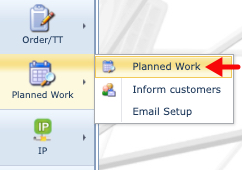
This opens up a blank Planned Work form.

Search for a Planned Work
From the Search pane, there are two methods to look for existing Planned Work instances:
Dropdown field
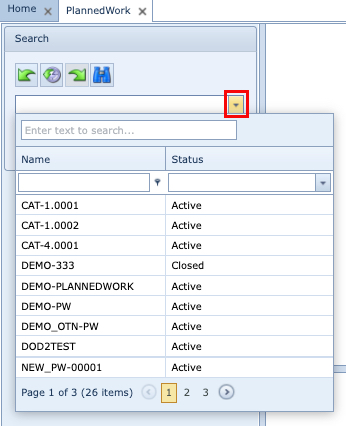
▪Click on the dropdown icon in the first search field
▪From the dropdown list, click on the required Planned Work instance
Search Text field
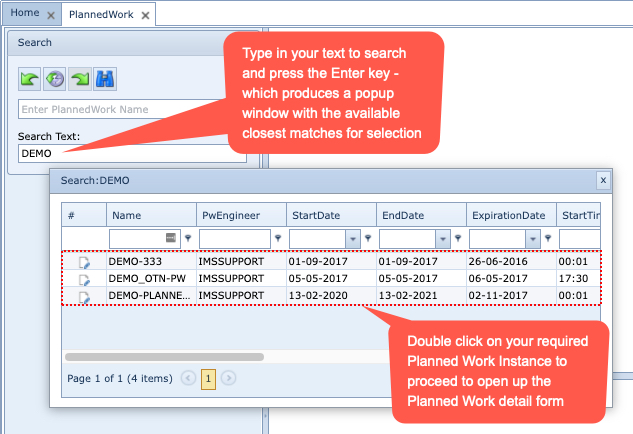
Should there be too many instances presented, then further filtering can be applied in the free text fields in the row below each column header.