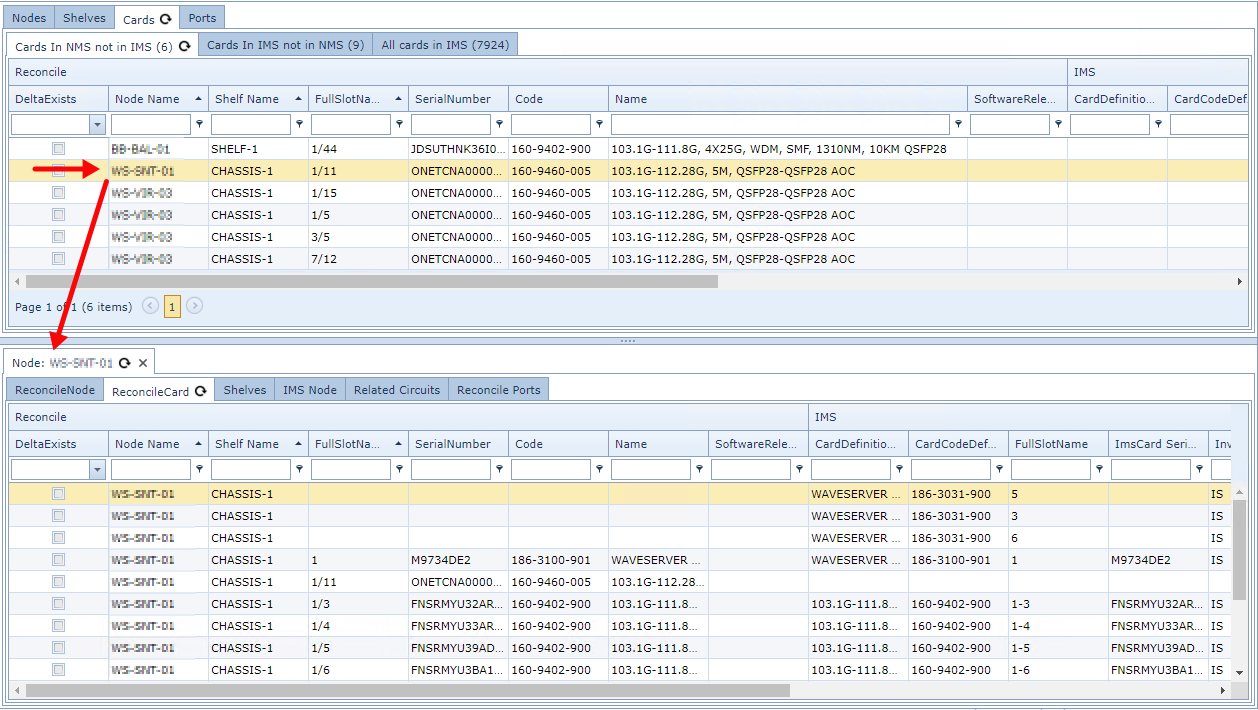
The Lower Tab pages pane will display the particular details of any selected row or record from the Upper Tab pages pane
|
Much like the Upper Tab pages Grid Columns, the Lower Tab pages Grid Columns also display Reconcile, IMS, and Error information - yet for a single IMS object instance. |

If no details appear automatically, click on the button Show details of selected record in the button bar.
Note: the Single Item tab pages will only appear if the related information has been found in the database.
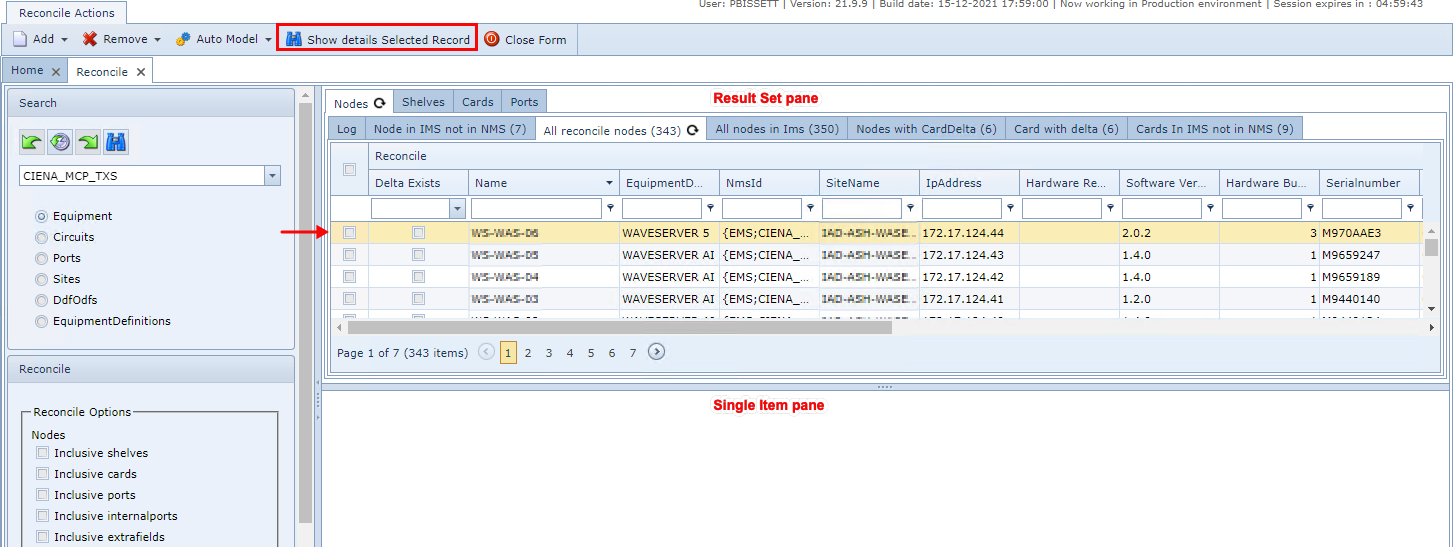
These are the possible tab pages:
The following screenshot shows some of the tabs available - these are for the equipment object.

Reconcile card
This tab lists all the network card objects of the selected equipment. The following checks can be performed.
Check ...
oThe network card against IMS cards
oIf there are cards in the network, but are not in IMS or vice versa
oWhich network cards have discrepancies with IMS data, could not be created or updated for some reason. Check the error message column for possible details
oWhich cards had no issues in the reconciliation process
Shelves
This is a list of all the reconcile shelf objects related to the selected reconcile object. From here you are able to check ...
oIf there are shelves related to any IMS shelf.
oWhich shelves may have deltas with IMS, could not be created or updated for some reason
oCheck the error message column for possible further details
oWhich shelves have no issues in the reconciliation process
IMS Node
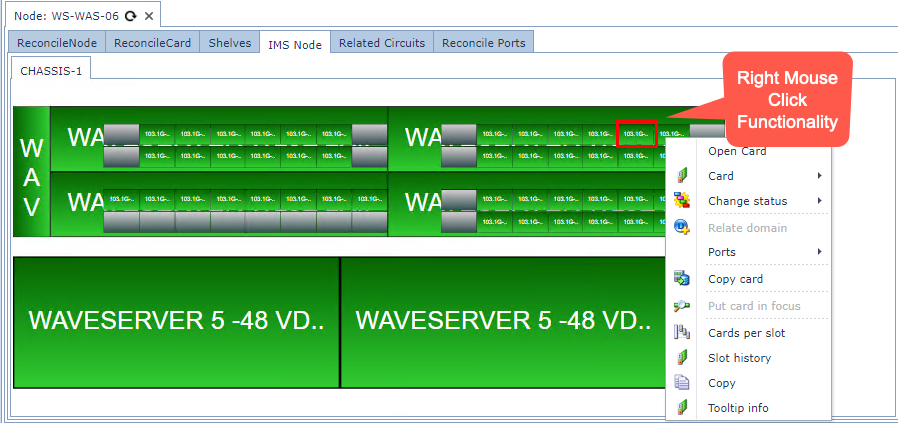
If the selected reconcile object relates to an IMS Node, then this tab page will appear with a graphical view of the node in IMS. From here the layout of the Node can be verified, cards removed or inserted, change the status of cards, etc. For ease of use, all the right mouse click menu functionality is available from this location as well.
Node extra fields
If the selected record relates to a reconcile node's extra fields, then this tab page will display a list of all the related reconcile node extra fields. From here the following items can be checked:
Check ...
oIf there are extra fields related to any IMS extra field for the nodes
oWhich extra fields have discrepancies within IMS, could not be created or updated for some reason
oCheck the error message column for possible further details
oWhich extra fields were reconciled correctly
Shelf extra fields
If the selected record relates to a reconcile shelf's extra fields, then this tab page will display a list of all the related reconcile shelf extra fields. From here the following things can be checked:
Check ...
oIf there are extra fields related to any IMS extra field for the nodes.
oWhich card has deltas with IMS, could not be created or updated for some reason
oCheck the error message column for possible further details
oWhich extra fields were reconciled correctly
Related circuits
If the selected object relates to one or more reconcile circuits then this tab page lists all the related reconcile circuits. From here circuits can be checked:
Check ...
ofor possible discrepancies with IMS
oif it could not be created or updated for some reason
owhich circuits had no problems during the reconciliation process