Export Shape File Setup
The IMS object's properties required for export with the Shape file are set up in the User Settings module which is accessed from the IMS Main Menu:
▪System : Users : UserSettings
The following screen shot gives examples of various properties set up for export.
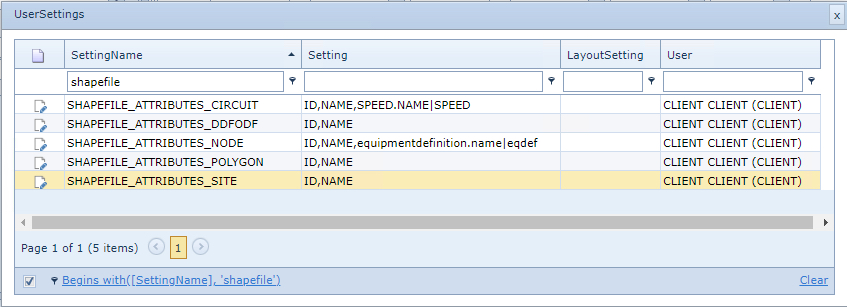
Referencing the third example in the list of the above screen shot, for a Node:
ID,NAME,equipmentdefinition.name|eqdef
➢Property names are comma separated.
➢Should a property name be too long for the Shape file an abbreviation will be required and placed after the pipe symbol as shown in the above example in bold text.