An Order can be associated with other orders i.e., dependency between orders.
From the Order form, locate and open up the initial Order - in this example the Order name is 10003. Another existing Order will be searched for and associated to 10003.
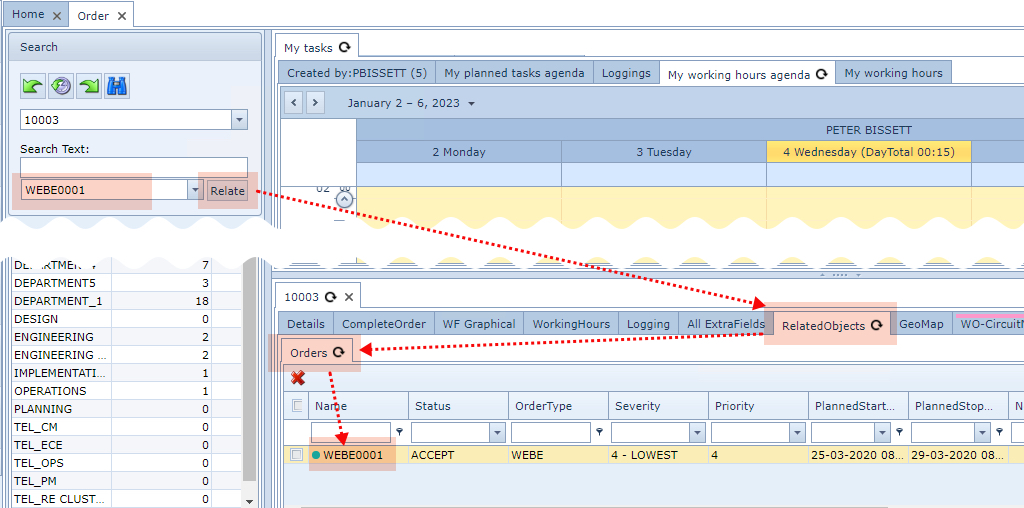
▪Use the second Search Text field in the Search area to locate the other Order to be related
▪Click on the Relate button in the Search area
▪In the Order/TT and Tasks details area, the Related Objects tab will appear
The added Order will be shown in the Orders sub tab.
If other IMS objects, like Sites, Equipment, etc., are already related to this Order, then the Related Objects tab will already be visible and contain sub tabs according to these other IMS objects |